
Plugins
Aeon Lingua: review strings
Search, correct and approve translations under Strings, and export or import them as PO and XLIFF.
Last updated 16 November 2026
Lingua translates automatically, but you decide what is final. The Strings tab shows the original and the translation side by side.
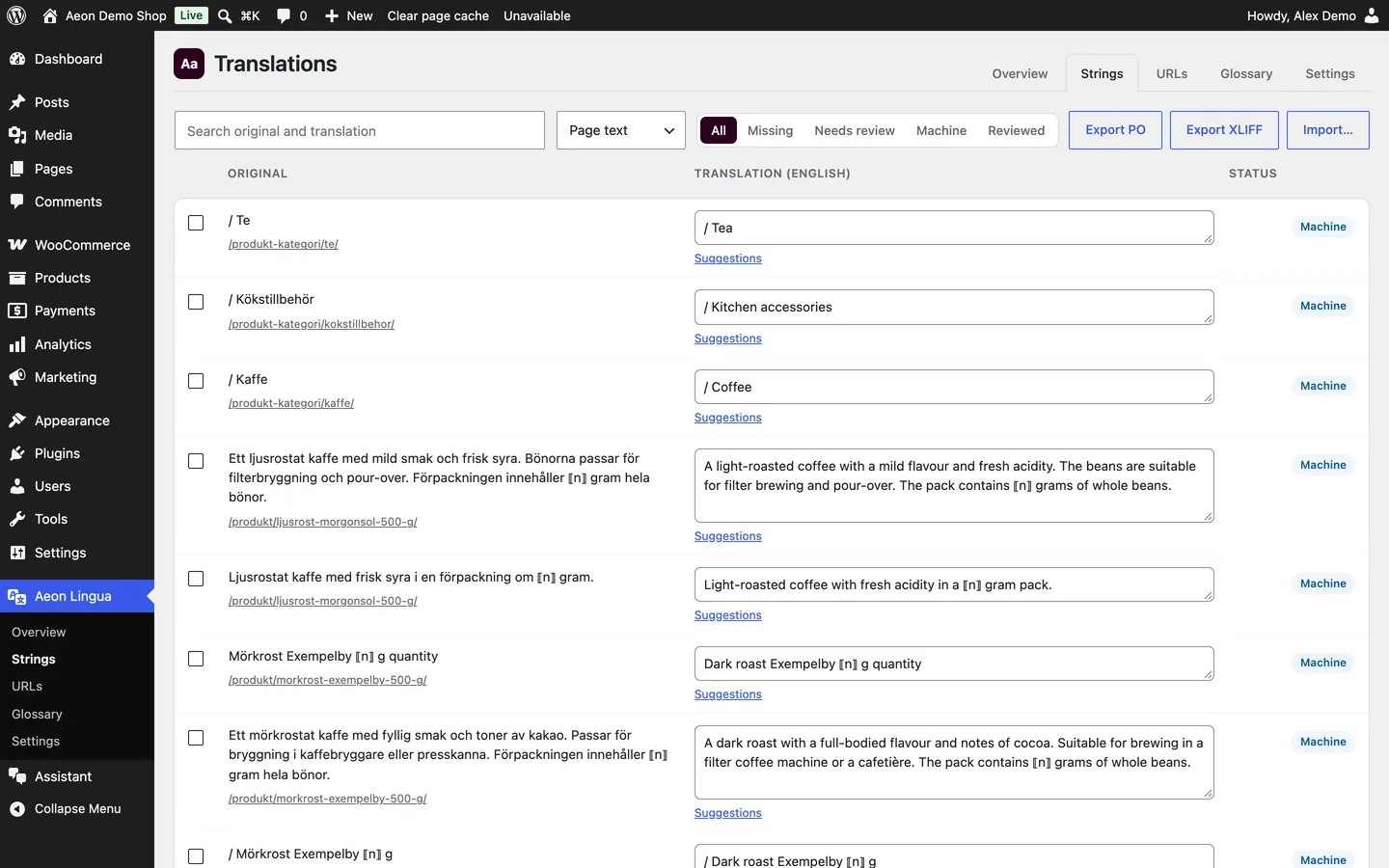
Status
| Status | Meaning |
|---|---|
| Missing | Not translated yet. |
| Machine | Translated by the AI service. |
| Reviewed | Checked by a person. |
| Needs review | Translated, but should be checked. |
| Language file | Taken from the theme’s or plugin’s own language file. |
Correct and approve
- Search the original or the translation, or filter on a status.
- Edit the translation in the field.
- Approve the translation. Its status becomes Reviewed.
A reviewed translation is never overwritten by the machine. Start with the texts customers see most: menus, buttons, product names and the shipping and returns pages.
Rules that should apply everywhere belong in the Glossary instead. Then you don’t have to correct the same word in many strings.
Export and import
Use Export PO or Export XLIFF to send the texts to a translator, and Import to bring them back.
- An export holds at most 10,000 rows.
- An import file can be at most 5 MB.
The same works from the command line with wp aeon-lingua export and wp aeon-lingua import.
What is left out
Lingua never reads the login, cart, checkout and My account pages when it looks for new strings. In Settings you can also exclude page parts with CSS selectors, addresses, text domains and extra attributes. See Get started.