
Plugins
Aeon Assist
An AI agent for customer service in WordPress and WooCommerce shops. It answers from your own pages, products and terms, and hands over to a person when needed.
Last updated 16 November 2026
Aeon Assist is an AI agent for customer service in WordPress and WooCommerce shops. It answers from the shop’s own pages, products and terms, and hands over to a person when it cannot help.
Assist replaces chat tools such as Tidio or Intercom with an agent that knows your pages, products, prices and terms. Nothing is shown to customers until you have approved it.
Version 1.0.4 is in early access. The assistant has run in daily use at teuton-systems.com since 24 October 2026.
What it does
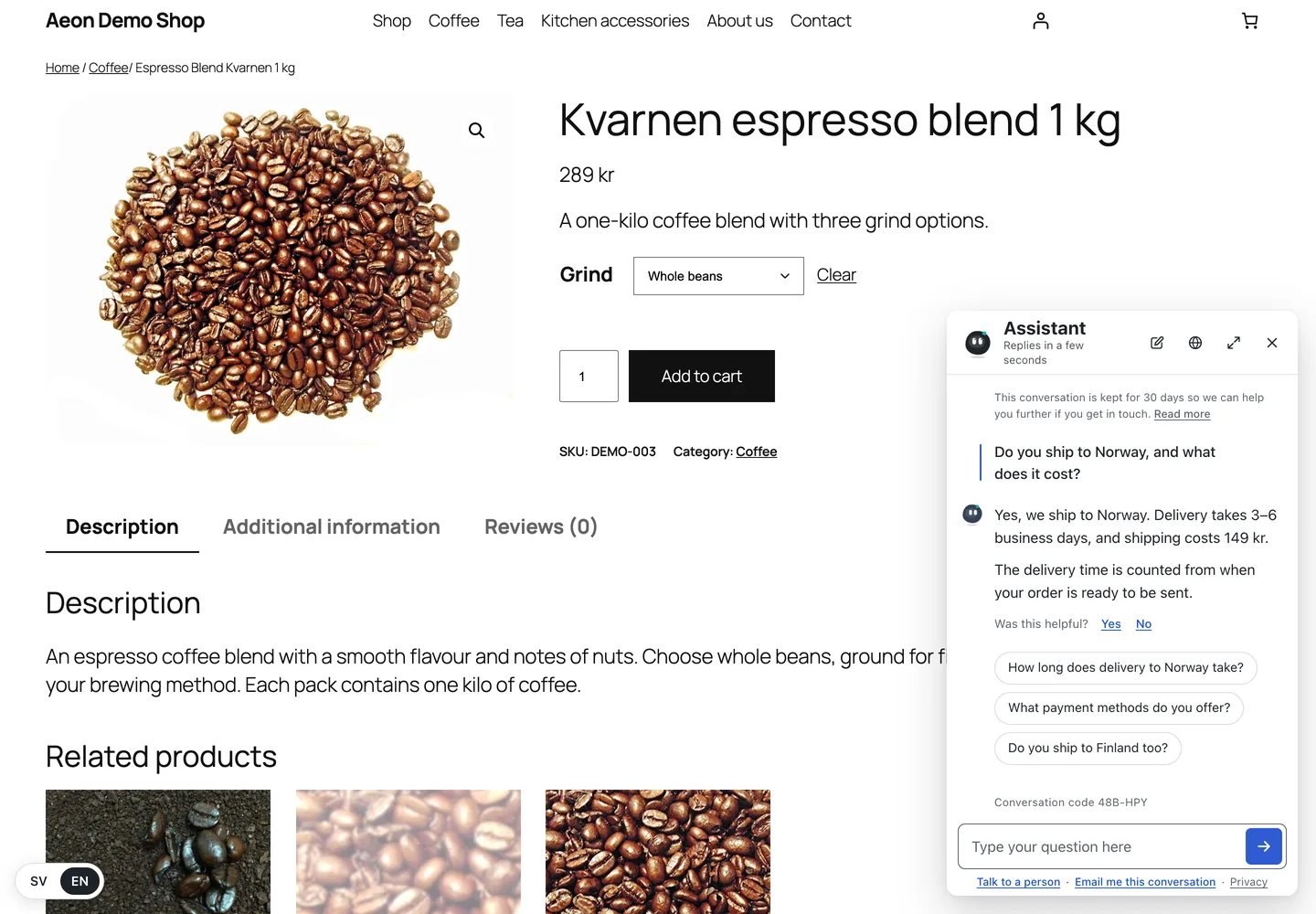
- A guided start. The Get started guide connects a model, reads the site, proposes facts for you to approve, tries the assistant on typical questions and switches it on. In our demo shop it read 9 pages in under a minute and proposed 86 facts, each with a source. The trial gave good answers to 19 of 19 questions.
- Answers with sources. The assistant searches the knowledge base and the products. It shows product cards with price and stock status, and prices are checked against the shop’s data.
- Handover to a person. The customer fills in a short form, and the case appears under Cases with a summary. The customer gets a case number and a receipt. Live chat with available staff is an option.
- A knowledge base that keeps itself up to date. Pages, posts and products are read every night and whenever you save. You can add your own help articles and synonyms, see unanswered questions, and a publishing guard stops a broken sync.
- Better answers over time. Customers rate answers. Under Improve, you go through poor answers with a coach and approve changes to the knowledge or the rules.
- Privacy and limits. A private mode, masking of card numbers, personal identity numbers and passwords, rate limits and a cost cap. A built-in security test checks the setup.
Requirements
- WordPress 6.5 and PHP 8.1 or later.
- MySQL or MariaDB with FULLTEXT search.
- The PHP extensions
mbstring,curlandsodium, and GD and fileinfo for images. - A key for an AI service. See AI services and keys.
- WooCommerce is optional. It is needed for the product tools and for paid support.
Assist does not need the Aeon News theme or a particular host. It has been tested with Twenty Twenty-Five, a block theme.
With Aeon Lingua, the assistant answers in the visitor’s language. It also works together with Aeon Cache.
The admin
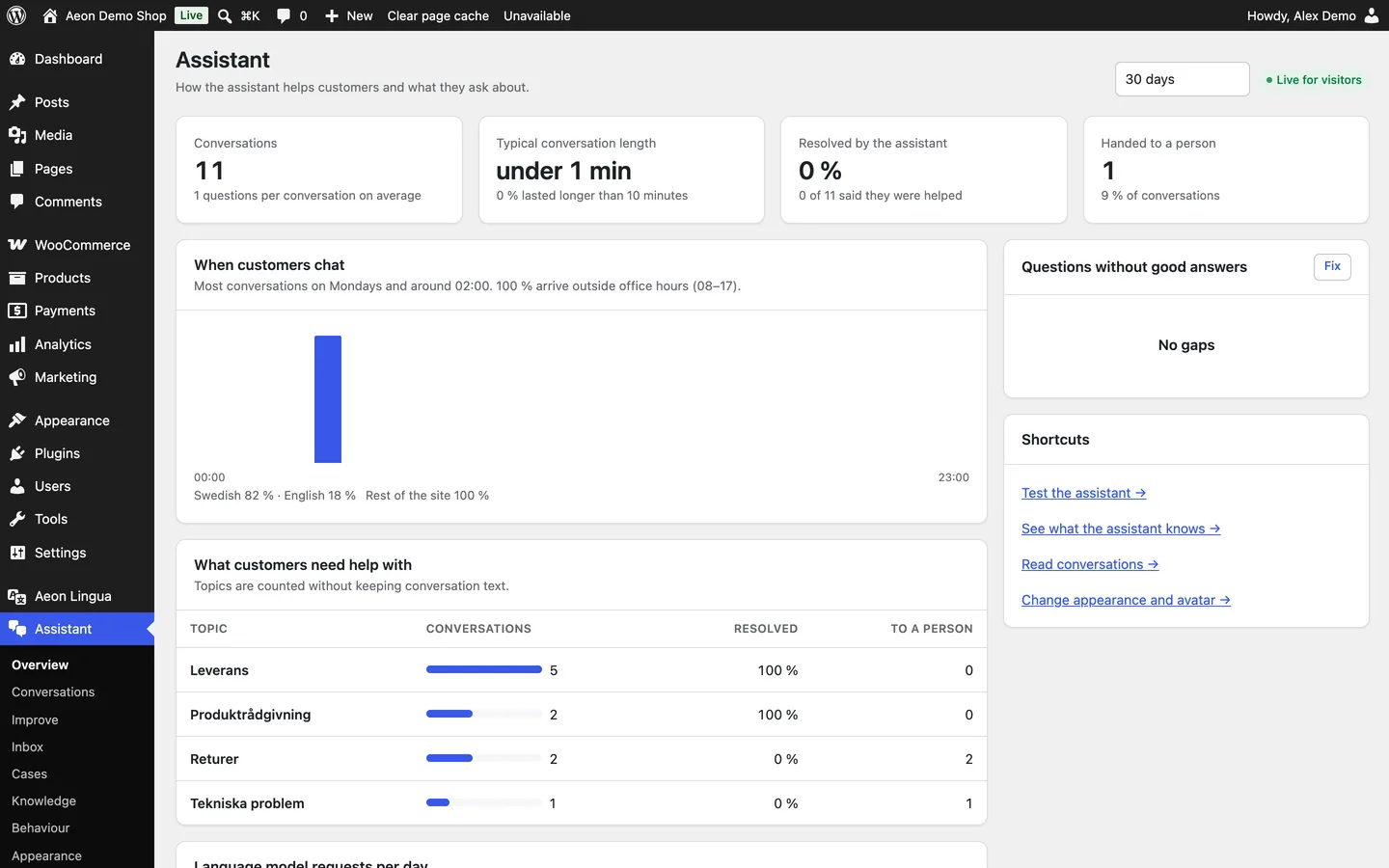
The Assistant menu has these pages:
| Page | What you do there |
|---|---|
| Overview | See conversations, topics, handovers and cost. |
| Conversations | Read conversations. |
| Improve | Go through poorly rated answers with the coach. |
| Inbox | Take live chats. |
| Cases | Follow up handovers and booked support. |
| Knowledge | Sources, help articles, synonyms and unanswered questions. |
| Behaviour | Set how the assistant behaves. |
| Appearance | Set how the chat looks. |
| Support & booking | Set up paid support and booking. |
| Integrations | Keys and connections to other services. |
| Test | Try questions yourself. |
| Get started | The five-step guide. |
Menus follow the language of the logged-in admin.
Guides
- Get started: the guide in five steps.
- The knowledge base: sources, help articles and the publishing guard.
- Cases and inbox: handover to a person and live chat.
- Appearance and language: the chat window and its languages.
- Privacy and storage: what is saved, for how long, and the limits.
- AI services and keys: models, keys, images and voice.
WP-CLI
wp aeon-assist has the commands selftest, sync --full, kb import <directory>, ask "question", usage, purge and redteam.
Licence
Aeon Assist is proprietary software from Aeon Media Group AB. Read the licence.