
Plugins
Aeon Assist: appearance and language
The chat window, its buttons and texts, and the languages the assistant can answer in.
Last updated 16 November 2026
The chat opens from a button on every page. Under Assistant › Appearance you set how it looks. The Overview page has a shortcut to change the appearance and the avatar.
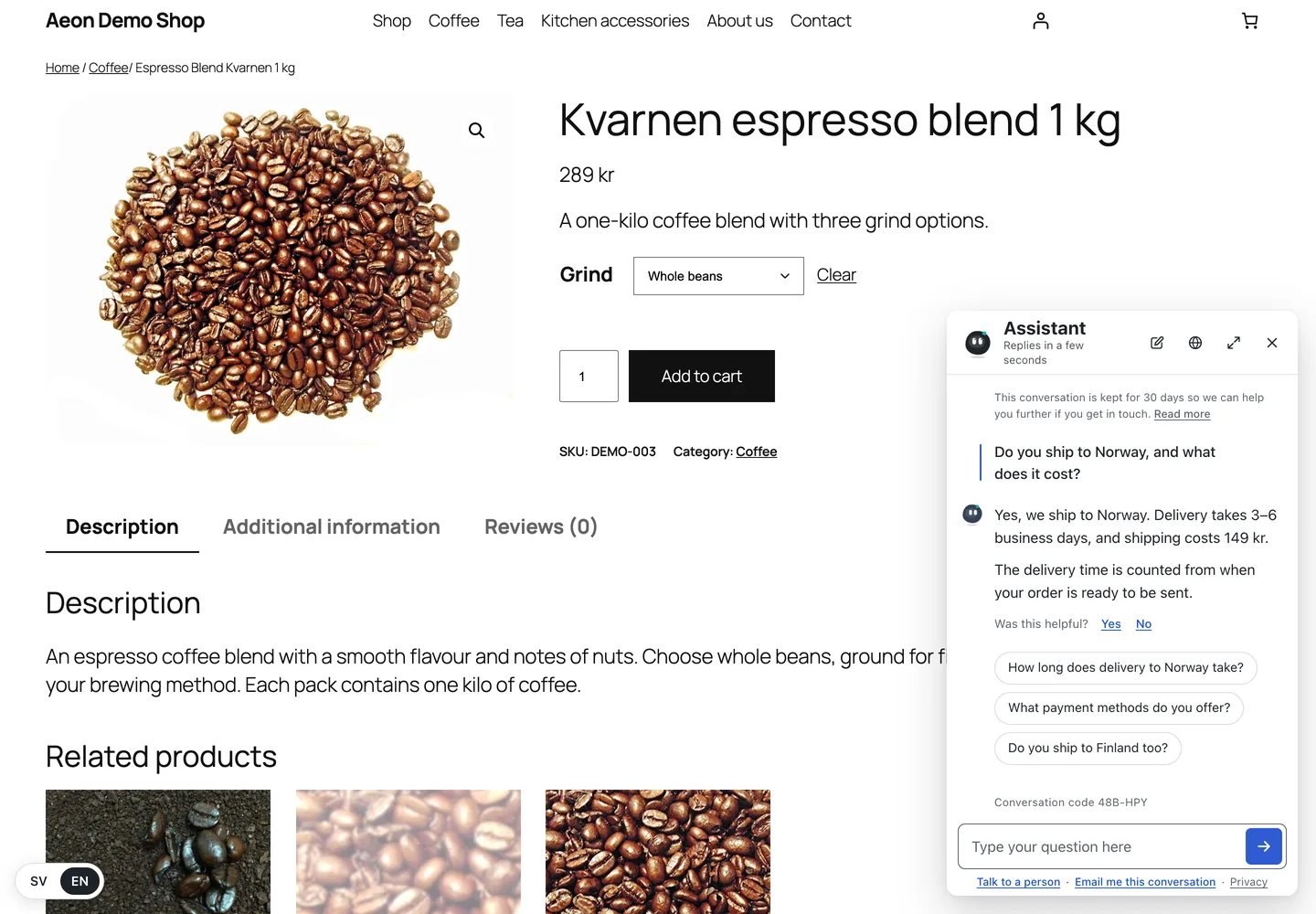
What visitors see
| Part | Text in English |
|---|---|
| The button that opens the chat | Ask us |
| The input field | Type your question here |
| Handover | Talk to a person |
| A copy by e-mail | Email me this conversation |
| Private mode | Chat without saving |
| Rating | Was this helpful? Yes / No |
Answers can include product cards with price and stock status, and suggested follow-up questions. A message can be up to 2,000 characters, with up to 3 images. See AI services and keys for images and voice.
Languages
- The chat comes with 11 languages, and you can have up to 30.
- The assistant’s default name follows the visitor’s language.
- The admin menus follow the language of the logged-in user.
With Aeon Lingua on the site, the assistant answers in the visitor’s language.
Works with any theme
Assist does not need the Aeon News theme. It has been tested with Twenty Twenty-Five, a block theme.