
Platform
Privacy and web analytics
How the built-in consent banner works with Matomo and Google Analytics, the six privacy profiles, and what it does not cover.
Last updated 23 October 2026
Aeon News has a built-in module that decides when web analytics may run and whether it may set cookies. The settings are under Aeon News Options › Privacy and web analytics.
The module covers statistics only, that is Matomo and Google Analytics. It is not a general cookie banner for every script on the site. See What it does not cover before you choose a setup.
How it works
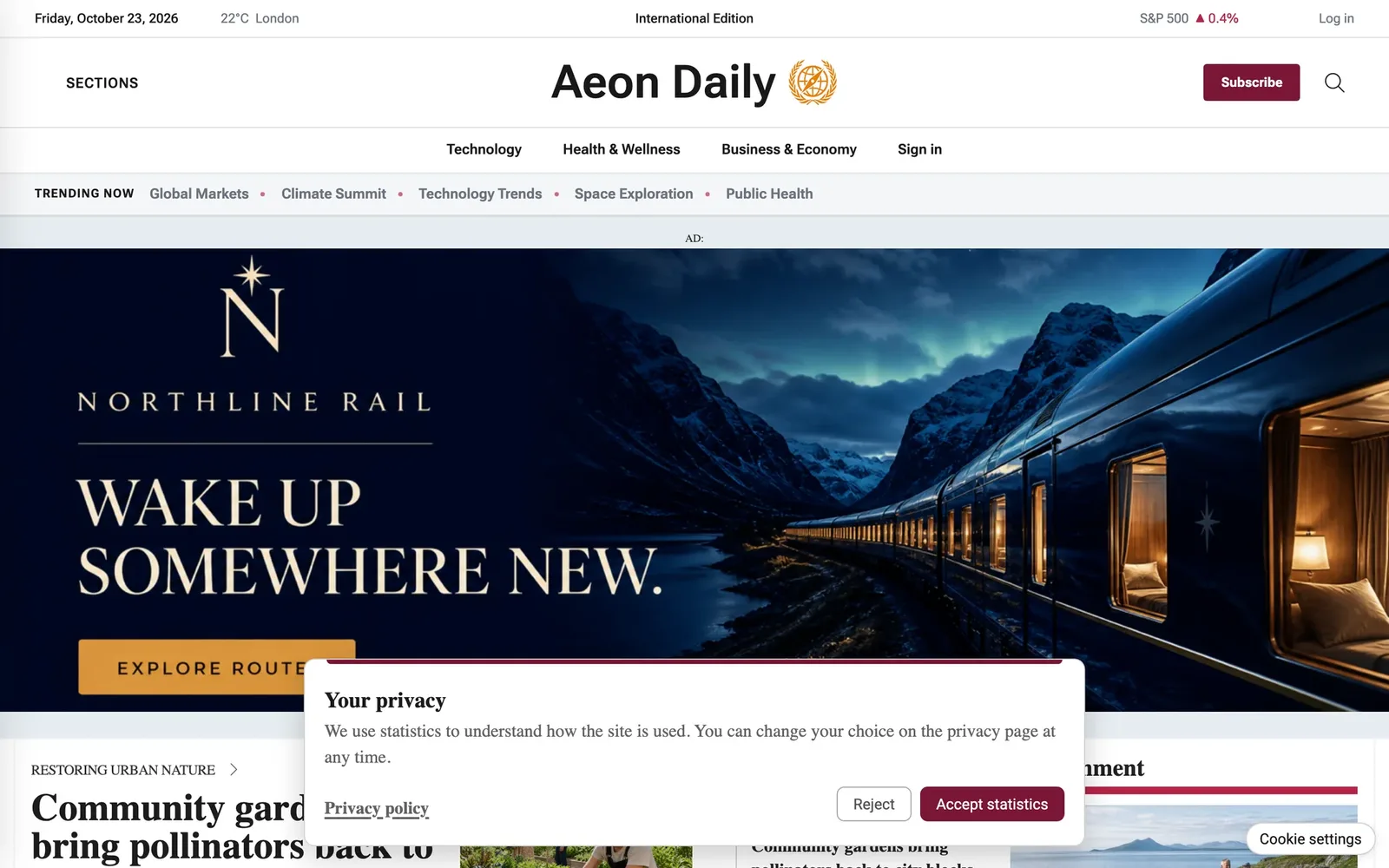
Every page is cached and served the same way to all readers. When the module is on, the theme prints the analytics code in a parked state that does not run. A small script in the reader’s browser then decides, from the site’s profile and the reader’s choice, whether the code may run and whether it may set cookies.
- The reader’s choice is stored in one first-party cookie, kept for 180 days by default (Choice expiry (days)).
- If a reader withdraws consent, Matomo and Google Analytics cookies are removed and the page reloads.
- Editors, logged-in staff, account pages and checkout pages are never measured.
Choose a profile
| Policy profile | What readers see | What happens |
|---|---|---|
| Measurement off | Nothing | Analytics that the theme manages are blocked. |
| Strict opt-in | Banner with Accept statistics and Reject | Nothing loads until the reader accepts. |
| Cookieless baseline + upgrade after acceptance | Banner | Matomo counts from the first page without cookies. Accepting allows Matomo cookies and Google. |
| Always cookieless Matomo, no popup | Nothing, or an optional one-line notice | Matomo counts without cookies. Google is blocked. |
| External consent manager | The other tool’s banner | The theme waits for another consent tool to report the reader’s choice. |
A sixth profile, Matomo with cookies and no banner, is not in the list. It is only set up on request, after the publisher has checked the legal requirements.
Matomo and Google Analytics
Both work, alone or together.
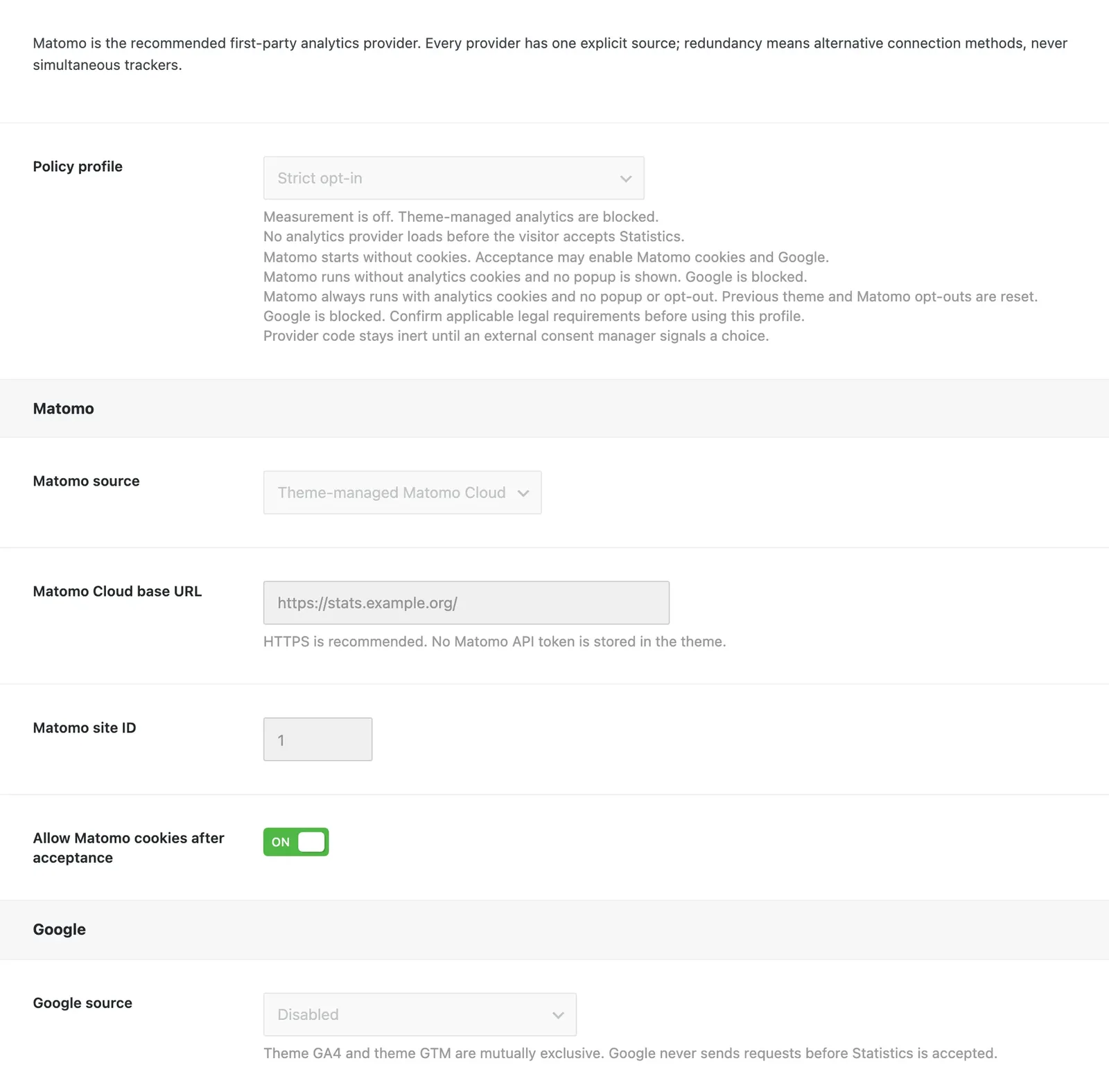
- Matomo can come from the Connect Matomo plugin or from the theme itself, with your Matomo Cloud address and site ID. Matomo is the only provider that can count without cookies, so it is the one that works without a banner.
- Google Analytics 4 or Google Tag Manager: enter the measurement ID or the container ID. Google Consent Mode v2 is set up for you: everything starts as denied and becomes granted only after the reader accepts. In the profile without a popup, Google is always blocked, because it cannot run without cookies.
- Analytics pasted in some other way, for example through a header-and-footer plugin, is outside the module’s control. The settings page warns when it finds such code.
Without analytics
A consent banner with nothing to consent to only gets in the reader’s way, so a banner profile without any analytics source switches itself off.
To inform readers without a popup, choose Always cookieless Matomo, no popup, turn on Show cookieless information notice and write your own text. It is shown as a short line at the bottom of the page. Link to the privacy policy from the footer menu.
For the privacy page, the shortcode [aeon_privacy_opt_out] adds a button that lets readers opt out of Matomo statistics, and back in again.
What it does not cover
The banner asks about one category, Statistics. It does not ask about advertising or marketing cookies, so on its own it does not make advertising tags such as AdSense, Google Ad Manager or other third-party scripts compliant.
Google requires a consent tool that it has certified, based on the IAB TCF standard, to serve personalised ads in the EU, the EEA and the UK. The theme’s module is not such a tool.
- Only your own banners or direct campaigns: the theme’s module can be enough. Choose the profile that matches your analytics.
- Google ads or other ad networks that track readers: use a certified consent tool, for example Cookiebot, CookieYes or Didomi, and set the profile to External consent manager. The tool then passes the reader’s choice to the theme with one line of code,
AeonNewsPrivacyAnalytics.setStatisticsConsent('accepted')or'rejected', and the theme keeps Matomo and Google Analytics in step with it.
Which profile is right
For most newspapers, the simplest setup is Matomo with Always cookieless Matomo, no popup: aggregate statistics from the first page and no popup. Add a certified consent tool only if you run advertising that tracks readers.
Which profile is legally right depends on your country and how the rules are interpreted there. Confirm the choice with your own privacy adviser.