
Platform
Database updates
How Aeon News changes stored data during upgrades: shown first, backed up, logged and reversible.
Last updated 14 October 2026
Some platform improvements need to change data that is already stored, for example when headline styles are merged or genres are assigned to the archive. Aeon News never does this silently. Every such change is a database update that you review before it runs.
Where to find them
When an update is waiting, a notice appears at the top of the admin: “Aeon News: 1 database update is waiting.” It links to Aeon News Options › Database updates.
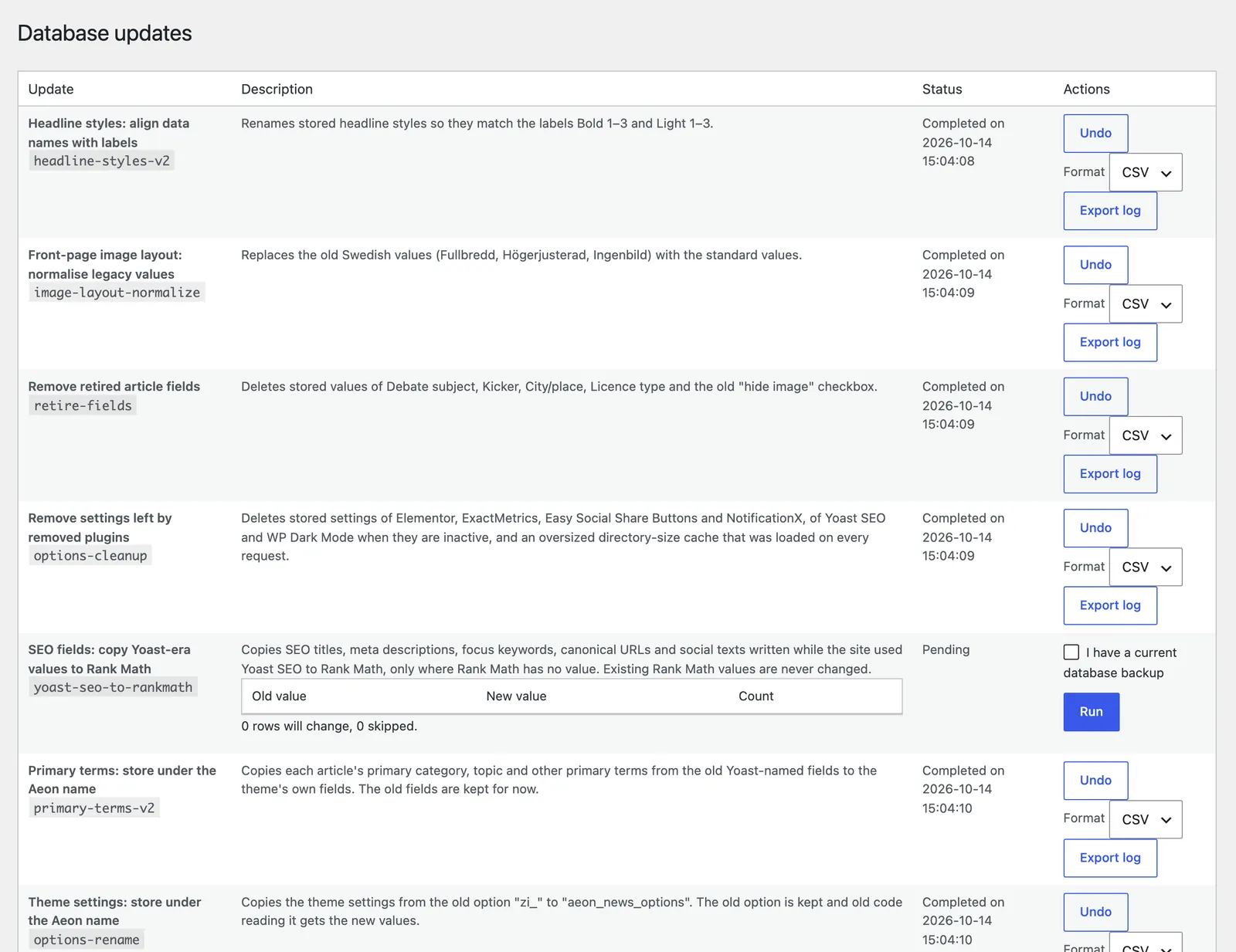
How an update runs
- Preview. The screen shows exactly what would change, with counts per old and new value. Nothing is changed yet.
- Back up. Confirm that you have a current backup of the database.
- Run. The update runs in one step. If it meets a value it does not recognise, it stops and reports it instead of guessing.
- Log. Every changed value is logged with its old value. The log can be exported as JSON or CSV.
- Undo. A completed update can be undone. Only values that still have the update’s new value are restored; anything edited since is reported instead of overwritten.
Updates never run automatically, and they can also be run from the command line with wp aeon migrate.
Good practice
Run updates at a quiet time, one at a time, and look at a few articles afterwards. On a site with a page cache, the cache is cleared automatically when an update runs.