
Plugins
Aeon Cache
Page cache and safe performance tuning for WordPress and WooCommerce. Cart, checkout and logged-in visitors are never cached.
Last updated 16 November 2026
Aeon Cache makes WordPress and WooCommerce sites faster with a page cache and safe performance tuning. Cart, checkout and logged-in visitors are never cached.
It replaces WP Rocket, WP Super Cache and similar plugins. It has its own safeguards for shops and works together with the host’s cache, for example on Kinsta.
Version 1.0.3 is in early access. It has run in daily use at teuton-systems.com since 30 October 2026.
What it does
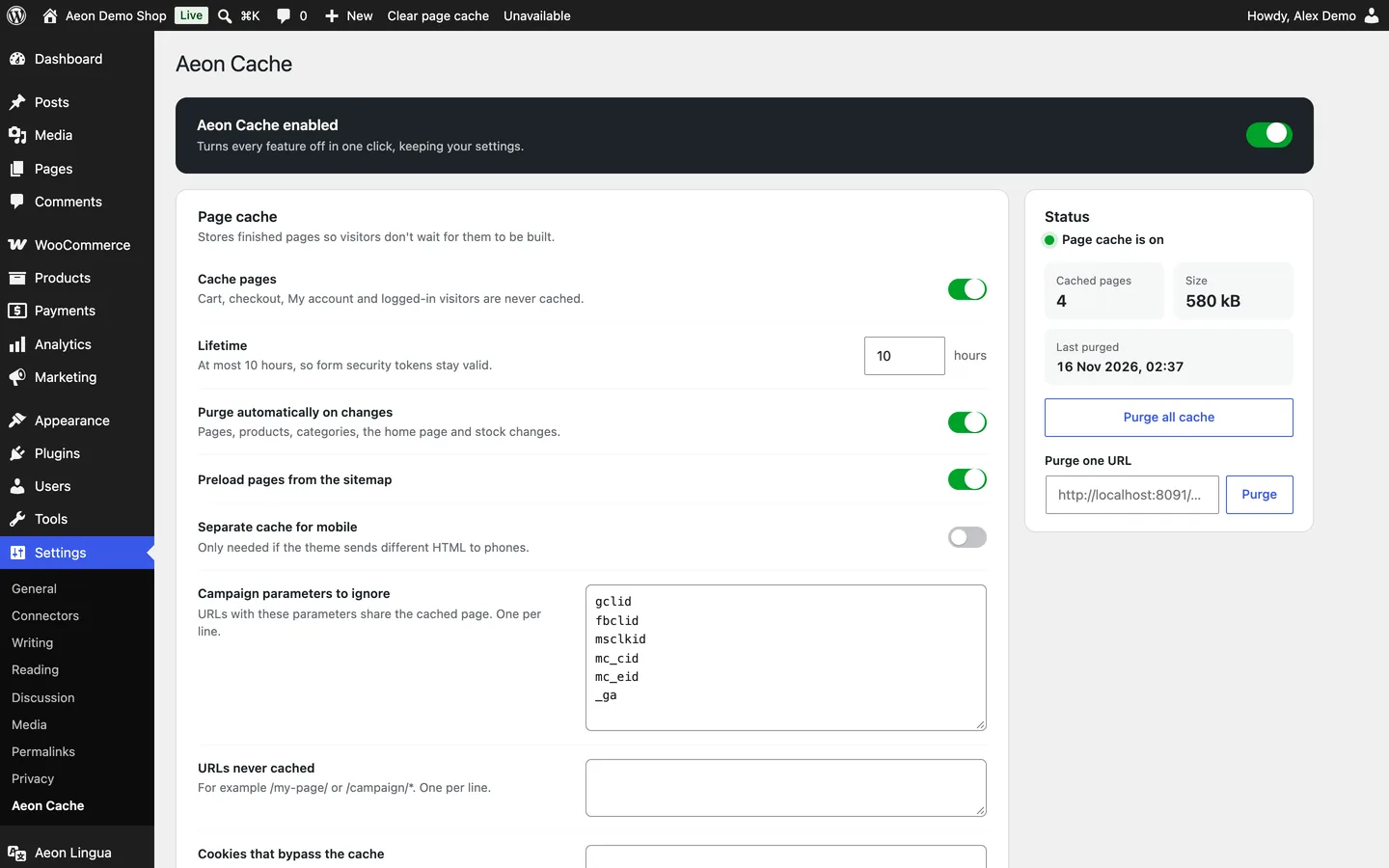
- Page cache on disk. Finished pages are saved and served before WordPress starts. A page lives for at most 10 hours, shorter than WordPress’s form security tokens. The cache is purged automatically when content, products or stock change.
- Safe for shops. Cart, checkout, My account, logged-in visitors and visitors with something in the cart always bypass the cache. Campaign parameters such as
gclidandutm_*do not create a new cached copy. - Aware of the host. On Kinsta, Aeon Cache lets Kinsta’s cache handle the pages and purges it when something changes. It recognises other cache plugins, such as WP Rocket and LiteSpeed Cache, and does not clash with them.
- Front-end tuning. Images, embeds and sliders load when they come into view. YouTube is shown as an image until the visitor clicks. Links the visitor is likely to click are prepared in advance. External scripts can be delayed, and payment and analytics scripts are always exempt. Browser caching for files and preloading from the sitemap are included.
- WordPress clean-up. The emoji script is removed, Heartbeat is limited and the database can be cleaned weekly: revisions, drafts and spam comments.
Aeon Cache uses no AI and sends no data to external services.
Requirements
- WordPress 6.6 and PHP 8.1 or later.
- Write access to
wp-contentand towp-config.php, where the plugin setsWP_CACHE. - WooCommerce and the Aeon News theme are not needed.
On Apache, the rules for browser caching are added automatically. On nginx, a snippet must be added to the server configuration. The page cache does not work on multisite.
With other Aeon products
- On an Aeon News site, two extra options appear that the theme carries out: minified theme files and a Font Awesome subset. They are hidden on other themes. See Performance and Aeon Cache.
- With Aeon Lingua, translated pages are cached per address, and Lingua’s crawler bypasses the cache.
Guides
- Installation and hosts: Kinsta, Apache, nginx and other cache plugins.
- Settings: every option, its default and its limits.
- Troubleshooting: when nothing is cached.
WP-CLI
wp aeon-cache has the commands purge [--url=…], preload [--now], db-cleanup [--dry-run], db-optimize --yes, import-theme-settings and selftest.
Licence
Aeon Cache is proprietary software from Aeon Media Group AB. Read the licence.