
Platform
Building high impact formats
How the topscroll, midscroll, skin, reel and display formats look and behave, how an HTML5 creative is built for them, and a starter kit for agencies and coding agents.
Last updated 31 October 2026
Aeon Ad Manager has its own high impact formats, the large ads that fill the screen as the reader scrolls. This page describes:
- how each format looks and behaves;
- what an agency delivers for each;
- how an animated HTML5 creative talks to the page.
It is written for the people who build the ads and for the coding agents they work with.
Two files carry all the detail and fit in an agent’s context:
- the agent brief: the whole job, step by step;
- the creative guide: every format and rule.
The starter kit contains both, plus templates, a simulator and a checker.
How the formats work
The site draws the frame, the advertiser fills it. The site draws:
- the window the creative is seen through;
- the “Advertisement” bars;
- the arrow, the close buttons and the reel’s dialog.
The creative is either:
- images uploaded to the site’s media library;
- an HTML5 package, a ZIP file that always comes with poster images.
An HTML5 creative runs in a locked frame. It cannot reach the site, the network or the reader’s data. The page tells it its size, how far the reader has scrolled, whether it is on screen and which slide is showing, and the creative asks the page to open a link. That keeps clicks counted and the site safe.
Every ad can be previewed before it goes live. A preview link shows a creative on a real page of the site for seven days, even while the ad is a draft. Nothing is counted, and a click only shows where it would have gone.
Topscroll
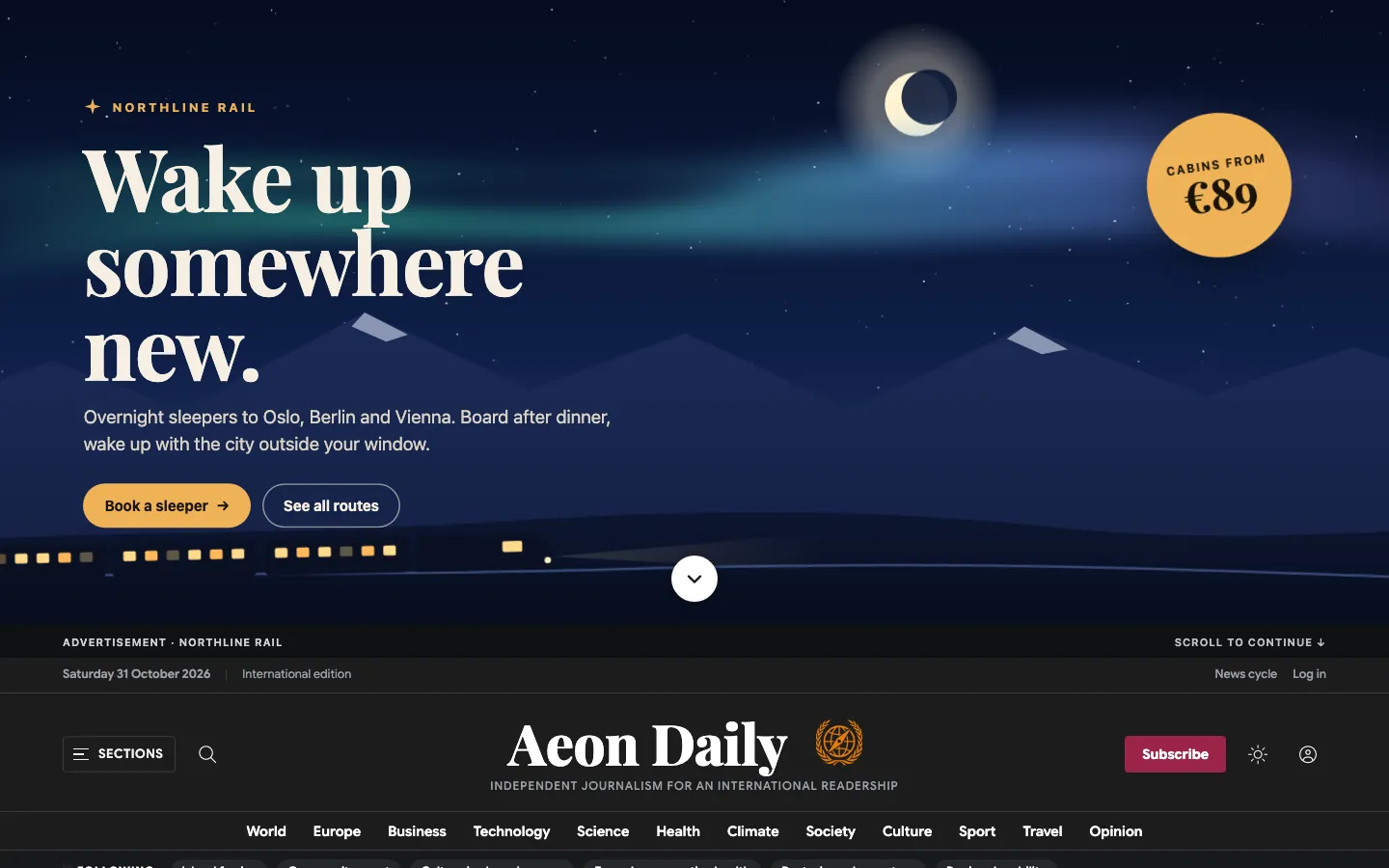
The first thing on the page is a scene the full width of the screen, 72 % of its height on a computer and 80 % on a phone. It is fixed to the screen: as the reader scrolls, the site slides up over it like a curtain. The site adds a round arrow that scrolls on, and a bar with “Advertisement” and “Scroll to continue”.
Deliver:
- a desktop poster of 1920×800, with the message in the middle 1200×560 and the bottom centre kept free for the arrow;
- a phone poster of 1080×1800;
- optionally, an HTML5 package that fills the scene.
Midscroll
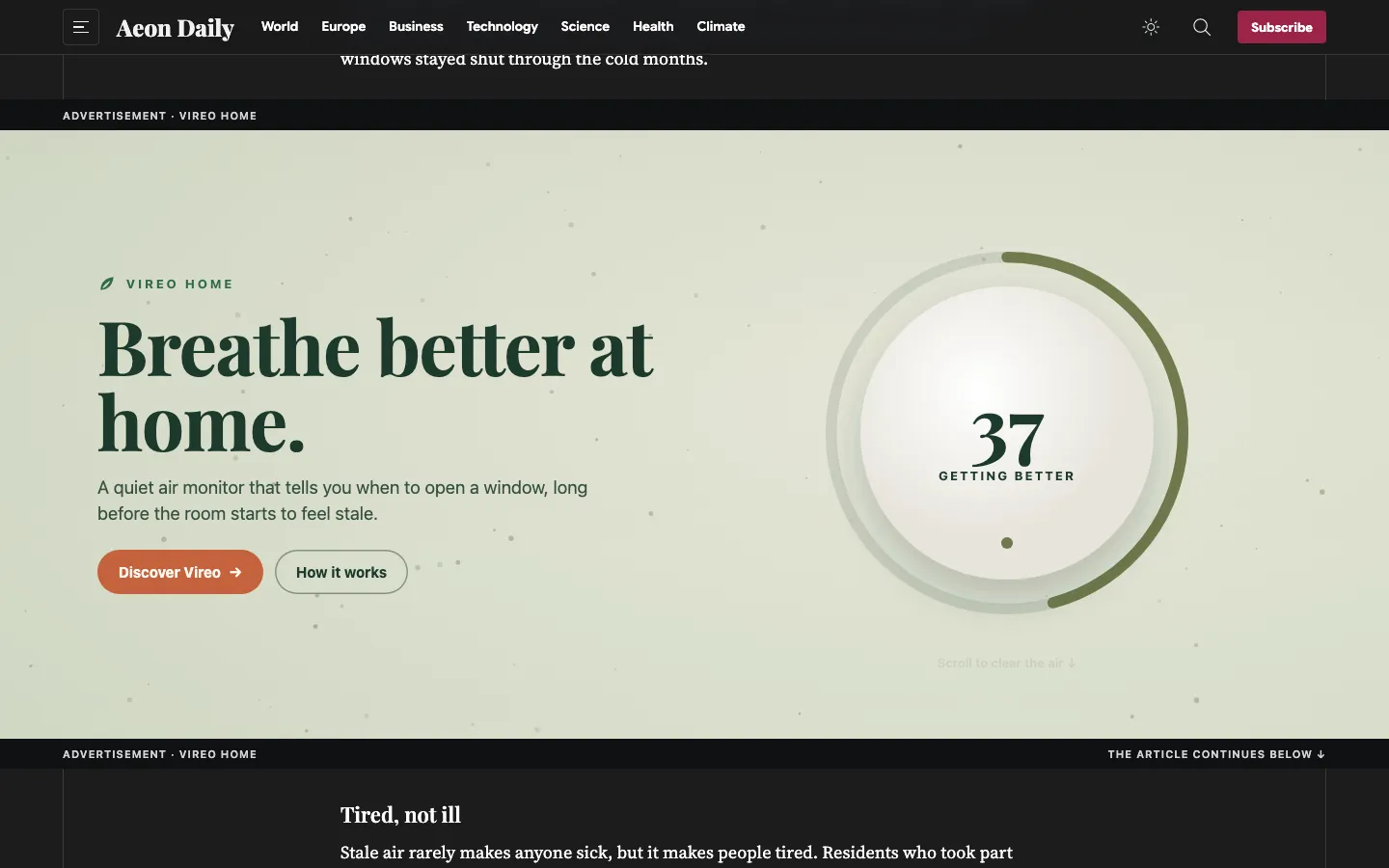
A window in the middle of the article. Behind it is a still scene the size of the whole screen. The window moves with the text, so the reader passes over the creative as if through a hole in the page. The window is 70 % of the screen’s height on a computer and 80 % on a phone. It runs edge to edge (full) or as wide as the site’s frame (content), and phones always get the full width.
Deliver:
- a desktop poster of 1920×1080 and a phone poster of 1080×1920;
- the message in the middle 60 % of the height;
- optionally, an HTML5 package the size of the screen.
The page reports the scroll progress from 0, when the window enters at the bottom, to 1, when it leaves at the top.
Skin
Artwork on both sides of the site, fixed while the page scrolls, and an optional band above the content that scrolls away with it. Skins appear only on screens at least 1280 px wide. Each side is as wide as the screen leaves room for: 170 px at 1440 and 410 px at 1920 with a 1100 px site.
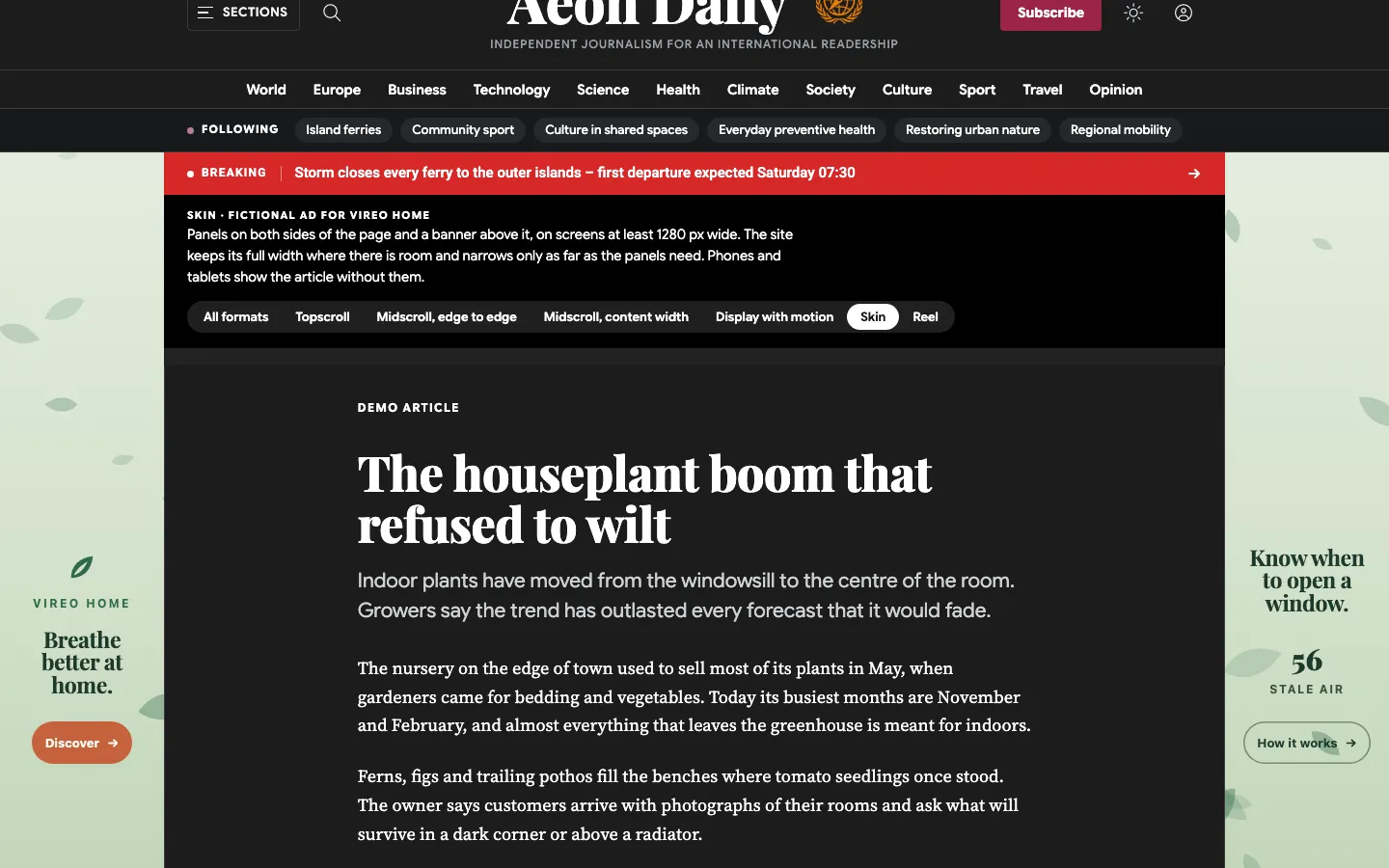
Put the logo and a short line in the 160 px next to the content. Many sites run their header across the full width, so keep the message in the lower half of the side. The site’s theme has to keep its content inside the skin’s content width, so skins run on the pages the newspaper has prepared for them.
Deliver:
- left and right images of 1100×2560 and an optional band of 2200×300;
- optionally, an HTML5 package.
An HTML5 skin:
- is one frame the size of the window, laid over the page but cut away over the content. Only the sides and the band can be seen and clicked;
- is told where the content column is and how far the page has scrolled, so the band can scroll away while the sides stay.
Reel
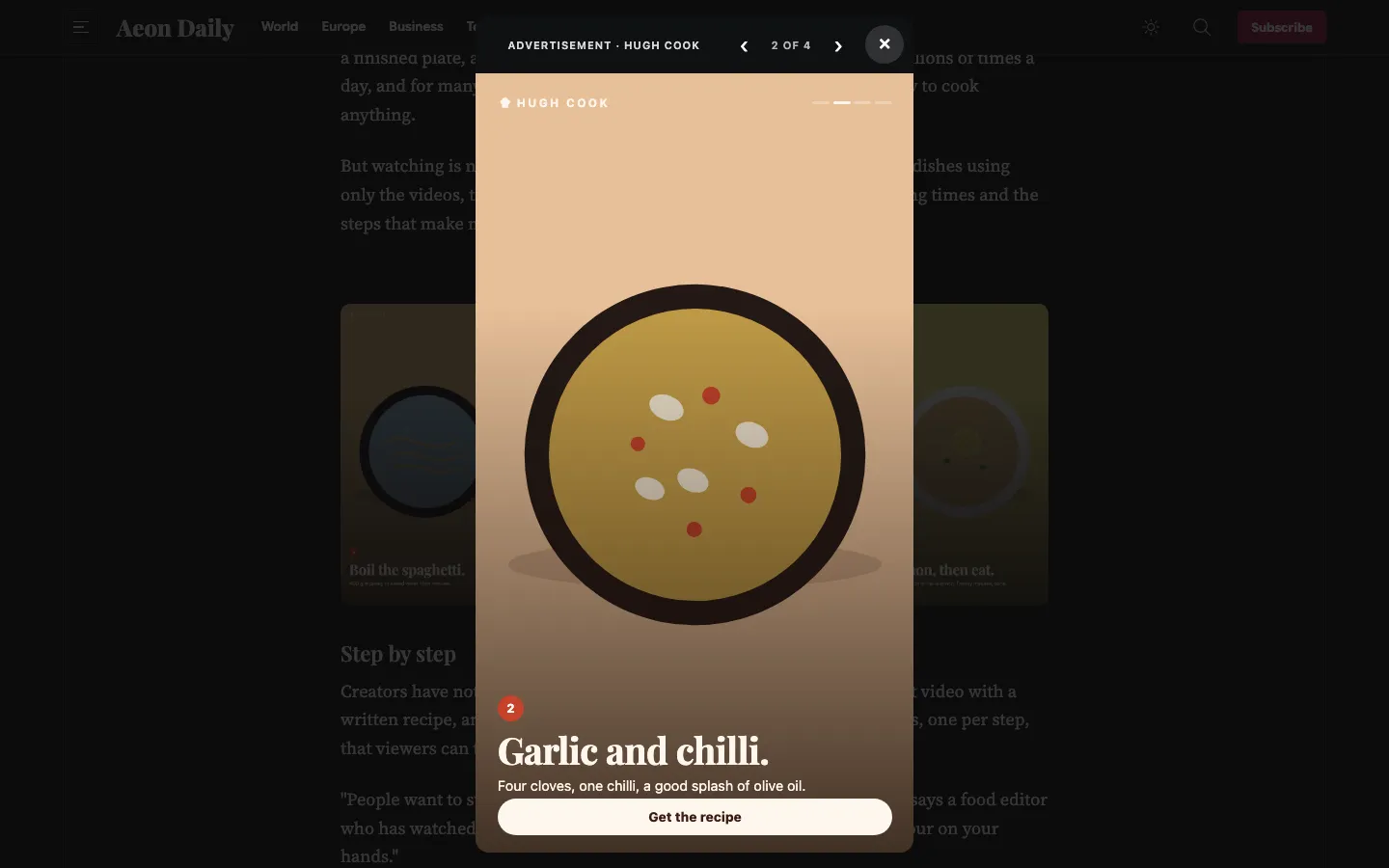
A row of 3 to 5 portrait cards in the article. A tap opens a full-screen story on that card, with back and next, a counter and a close button. The arrow keys work too.
Deliver:
- 3 to 5 slides of 1080×1920, which are also the cards in the row;
- a backup image;
- optionally, one HTML5 package for the whole story, responsive or 9:16.
Display
An ordinary ad box with a fixed size, such as 300×250, 300×600 or 970×250, which shrinks in a narrow column. It can also be responsive: as wide as the column, with a height the creative asks for.
The formats on a phone
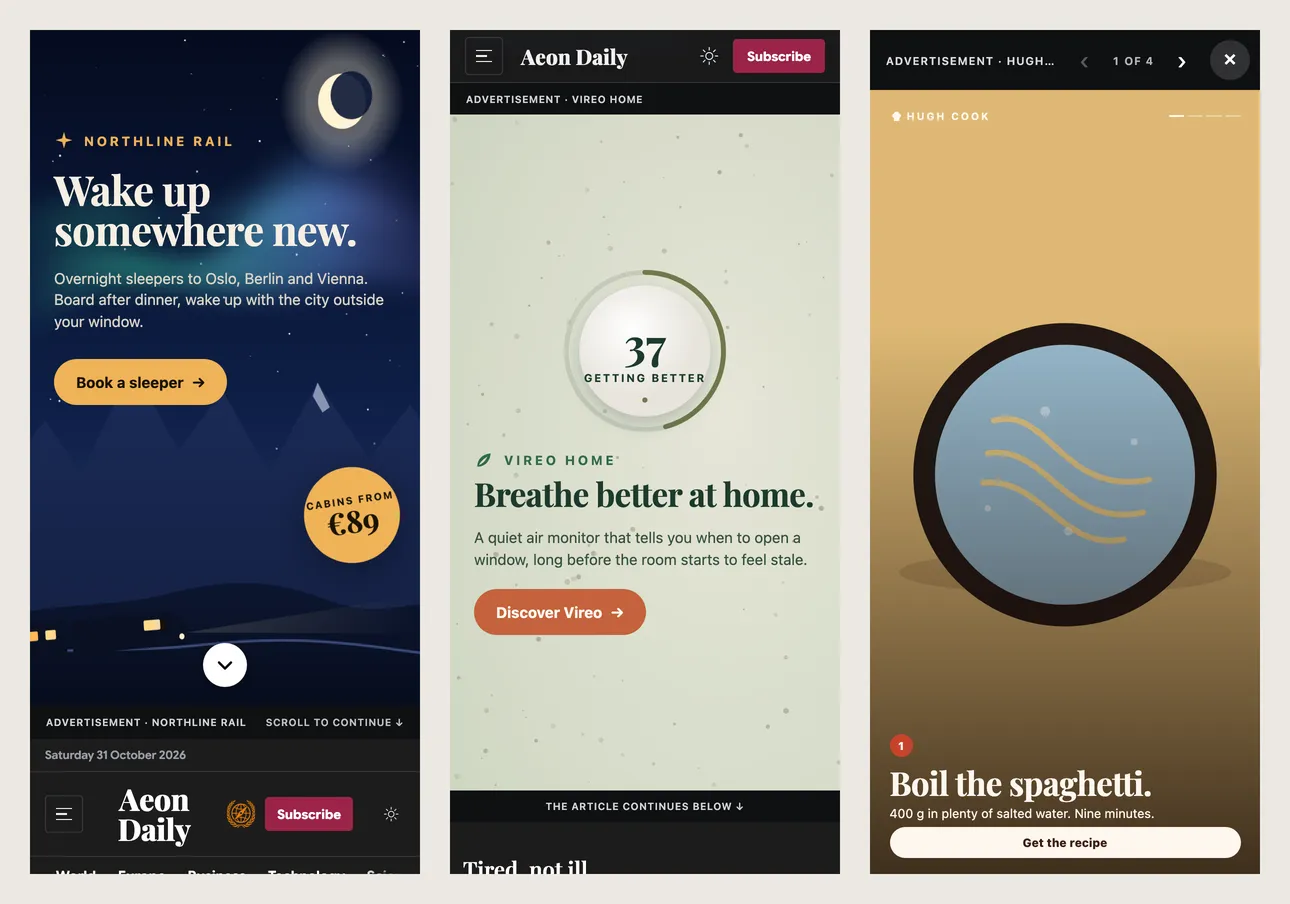
Interstitials, layers, sticky ads, carousels and native ads are also available. They take images only.
Building an HTML5 creative
A package is a ZIP file:
index.html;manifest.json, with the name, size, formats, exits and animation length;- a backup image;
- the creative SDK,
aeon-creative.js; - the creative’s own files.
Limits:
- at most 5 MB packed and 3.5 MB unpacked; aim for under 1 MB on first load;
- fonts as WOFF or WOFF2;
- nothing loaded from outside the package.
The page and the creative talk through messages:
| From the page | When |
|---|---|
init | the creative’s size, the format, its exits and whether the reader wants reduced motion; for a skin, where the content is; for a reel, the slide |
scroll | how far the reader has scrolled past the ad, 0 to 1; for a skin, the page’s scroll position |
pause, resume | when the ad leaves or returns to the screen, or the tab is hidden |
slide | which slide of a reel is showing |
| From the creative | What it does |
|---|---|
ready() | shows the creative. It must come within 4 seconds, or the reader keeps the poster |
click(exit) | opens a landing page, such as main or product, only during a real tap or click |
resize(height) | sets the height of a responsive display |
go(index) | moves a reel to another slide |
Every creative follows the same rules:
- sound only after the reader has interacted;
- animation for at most 30 seconds and 5 loops;
- a still version for readers who ask for reduced motion;
- every animation stops when the page says pause.
The starter kit
The starter kit has:
- Templates for topscroll, midscroll, skin, reel and display, each a working creative to start from.
- A simulator that runs the sites’ own ad script on a test page. It prints the slot where the site would, logs every message both ways, and has a phone window, a dark page and the skin’s band.
- A checker and a packer, with the same rules and the same error messages as the site.
- The agent brief and the creative guide.
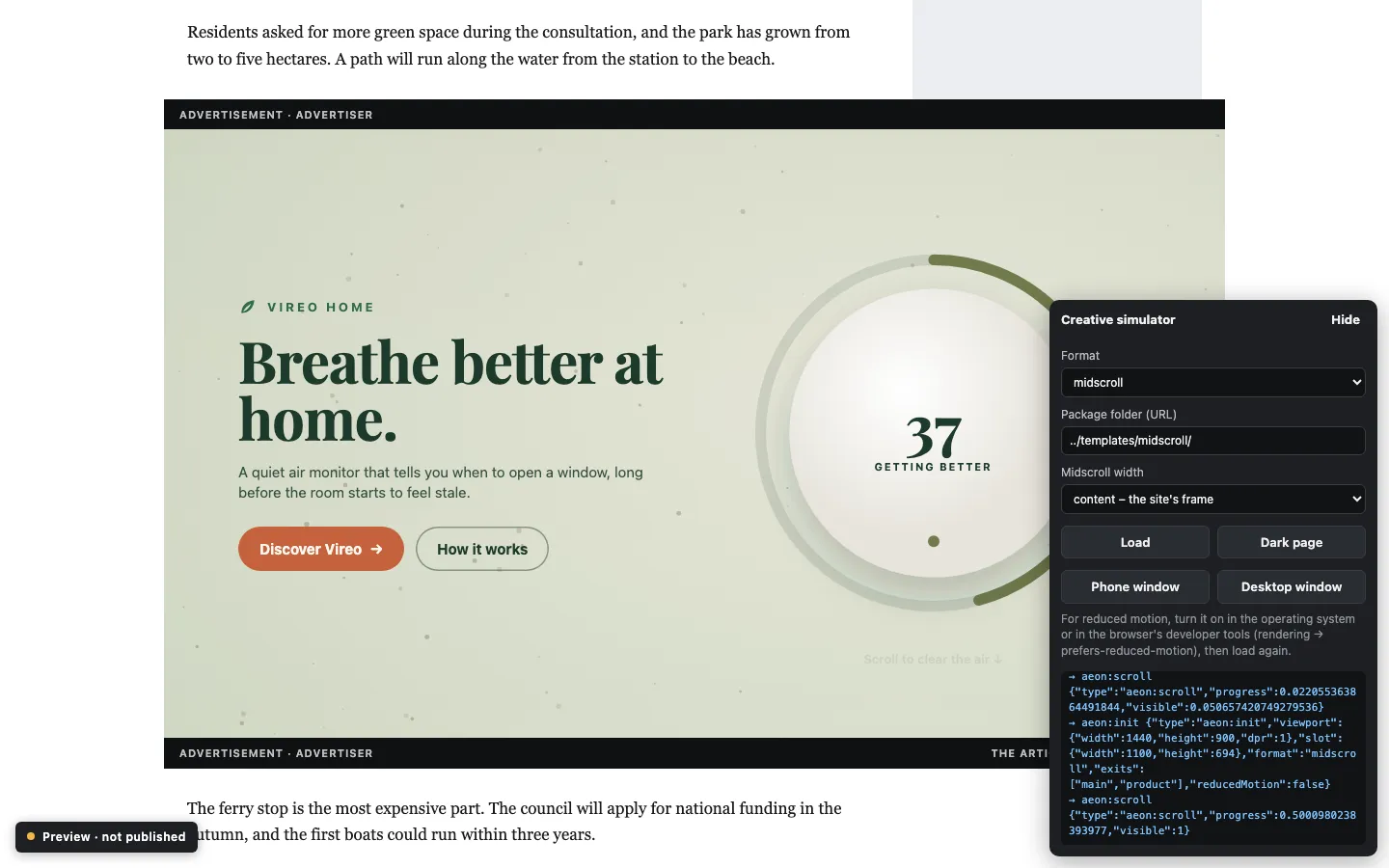
# Run the ad in the simulator, then open
# http://localhost:8090/host/?package=/package/&format=midscroll
node tools/serve.mjs ../my-ad

# Check it with the sites' own rules
node tools/check.mjs ../my-ad --format midscroll

# Pack it for delivery
node tools/pack.mjs ../my-ad ../my-ad.zip
The kit needs Node.js 18 or later and nothing else.
Delivering the ad
An agency, or its coding agent, delivers through the Ad Manager REST API with a user that has the Ad agency role:
- Upload the posters and the package. A dry run checks the package first.
- Create the ad as a draft, with the creative.
- Send the preview link to the newspaper.
- After approval, book the ad or add it to a group, and activate it.
The newspaper can see and change all of it in Ad Manager.