
Plugins
Aeon Assist: cases and inbox
How the assistant hands a customer over to a person, how cases are followed up, and how live chat works.
Last updated 16 November 2026
When the assistant cannot help, or the customer asks for a person, the conversation is handed over. By default the customer sends a case by e-mail. If someone on your staff is available, live chat is an option.
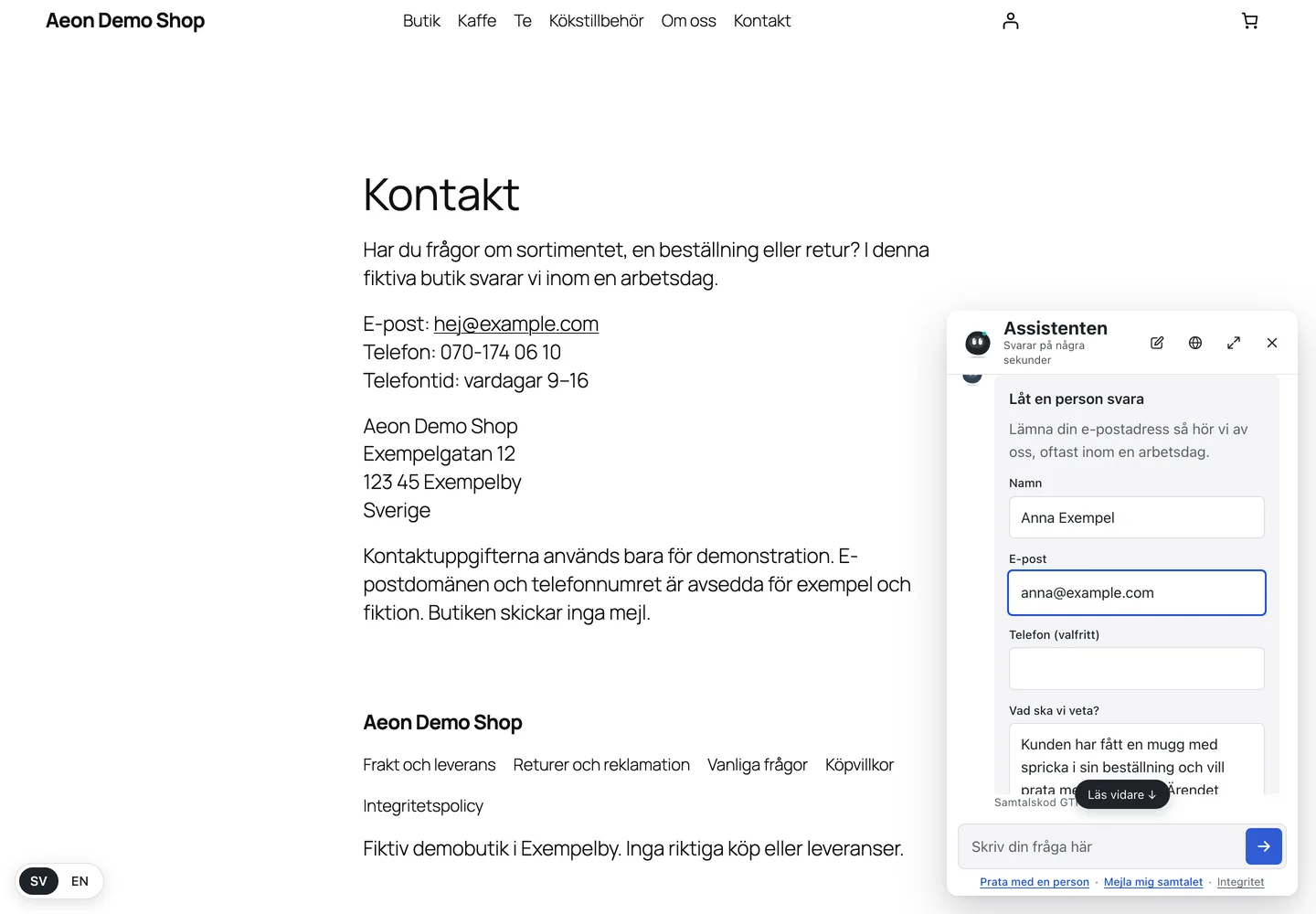
Handover with a form
- The customer clicks Talk to a person, or asks for a person in the chat.
- A form opens with Name, Email, Phone (optional) and What should we know?. The assistant fills in what it already knows from the conversation.
- The customer checks the form and clicks Send to support.
- The customer gets a case number and a receipt in the chat.
The assistant only says the case has been passed on after the customer has sent the form.
Cases
Every handover becomes a case under Assistant › Cases, with the customer, a summary, the status and when you should reply. You reply to the customer from your support mailbox. In Cases you keep track of status, time and payment.
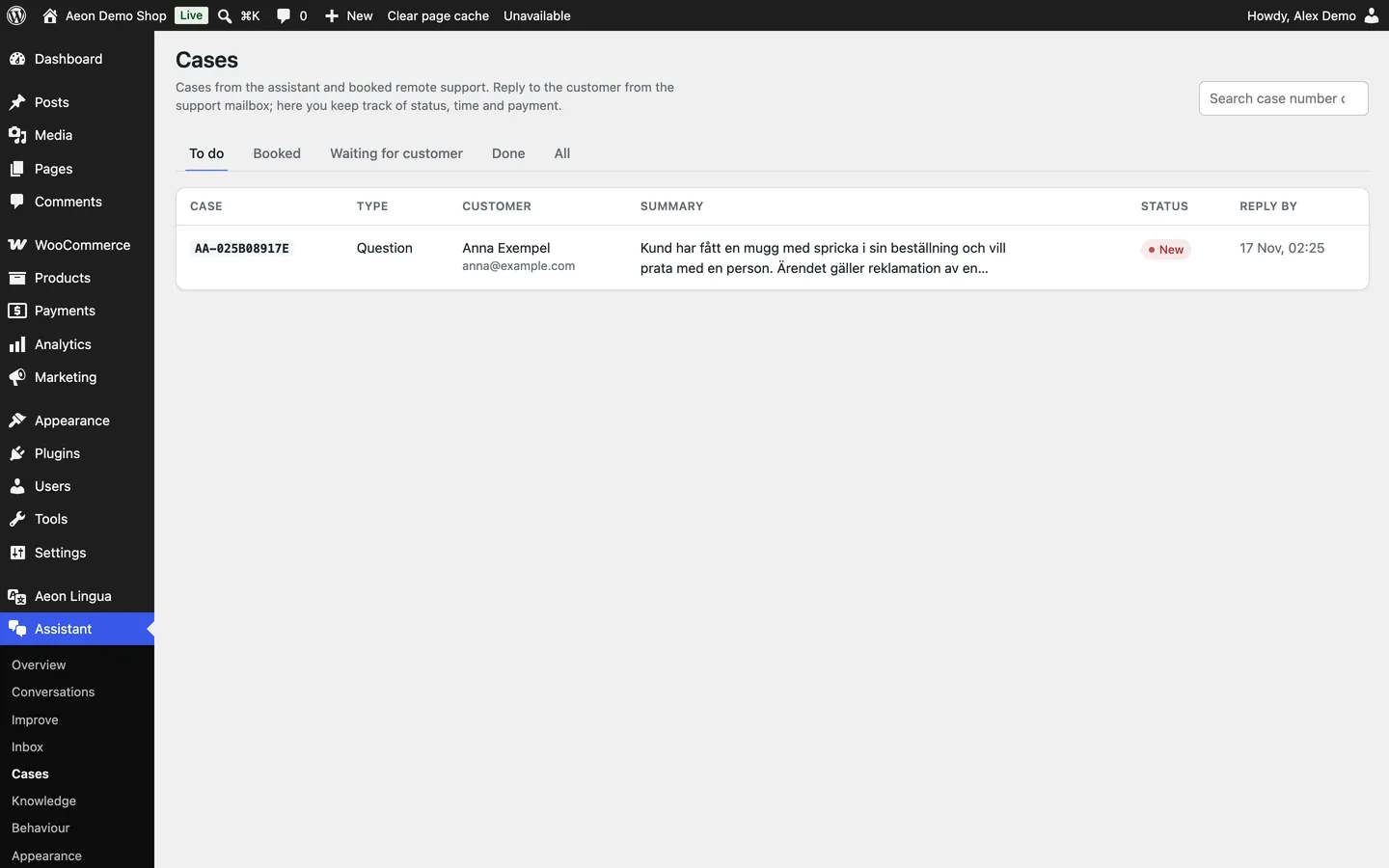
The tabs To do, Booked, Waiting for customer, Done and All sort the cases. You can search by case number.
A case has one of these statuses: New, Awaiting payment, Booked, In progress, Waiting for customer, Done and Cancelled.
Cases and conversations with a case are kept for 365 days. See Privacy and storage.
Live chat
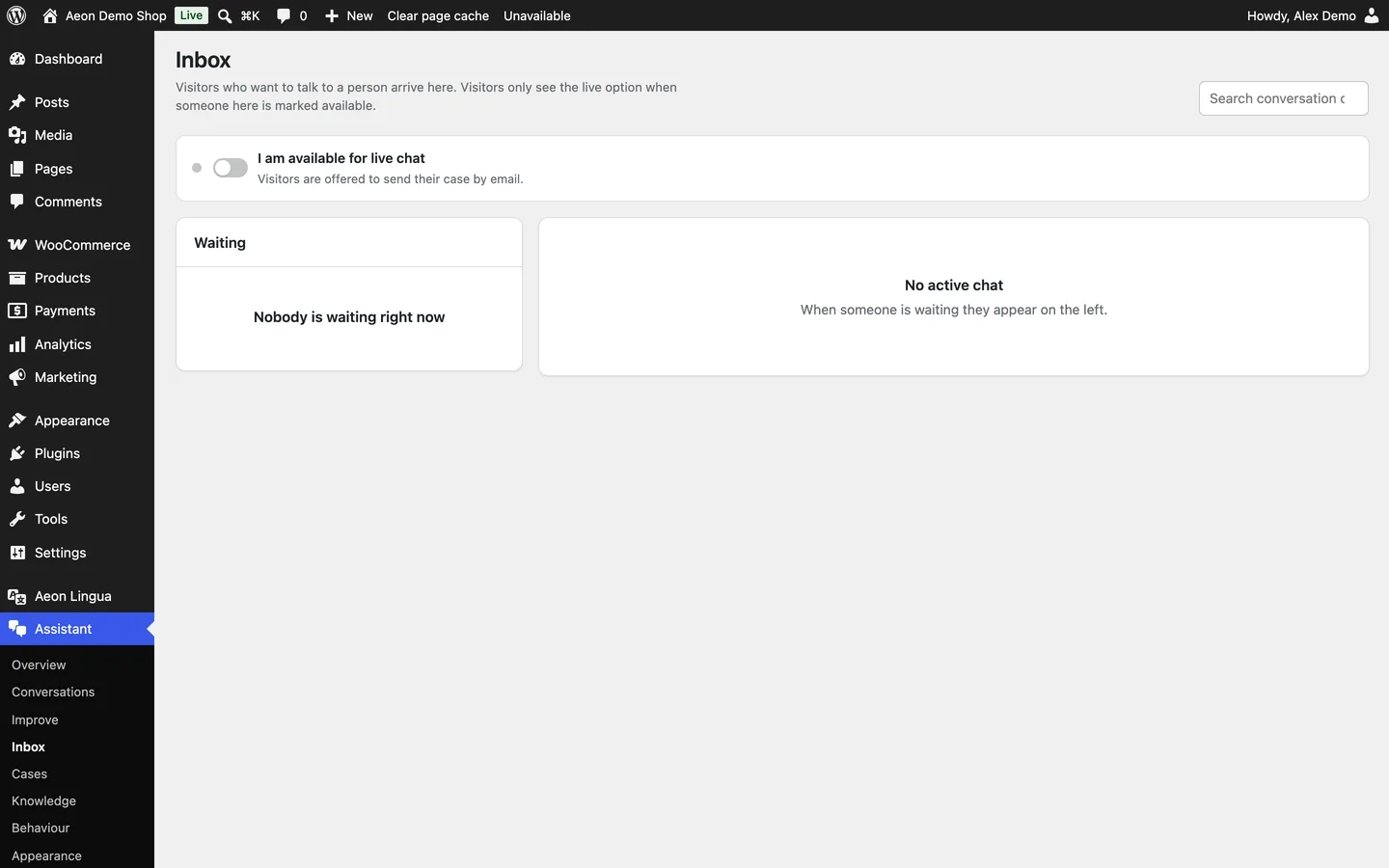
Live chat is an option. Open Assistant › Inbox and turn on I am available for live chat. Visitors only see the live option while someone is marked available. Otherwise they are offered to send their case by e-mail.
Paid support and booking
Under Support & booking you can offer paid remote support, with calendar booking through Nextcloud as an option. Paid support needs WooCommerce. Booked support appears under Cases, where you follow its status, time and payment. During early access we set this up together with you.
The assistant can send e-mail, for example a copy of the conversation when the customer clicks Email me this conversation. A key for Resend can be saved under Integrations.