
Plugins
Aeon Lingua: addresses
Choose subdirectory, subdomain or own domain, review translated slugs and let Lingua redirect old addresses.
Last updated 16 November 2026
Lingua translates the address as well as the page. A Swedish product at /produkt/espressoblandning-kvarnen-1-kg/ can be /en/produkt/espresso-blend-kvarnen-1-kg/ in English.
Where each language lives
Choose the address form in Settings:
| Form | Example |
|---|---|
| Subdirectory | example.com/en/ |
| Subdomain | en.example.com |
| Own domain | example.co.uk |
Then choose how slugs are written: In Latin letters or In the language’s own script.
Translated slugs
The URLs tab lists each slug in the original language next to its translation.
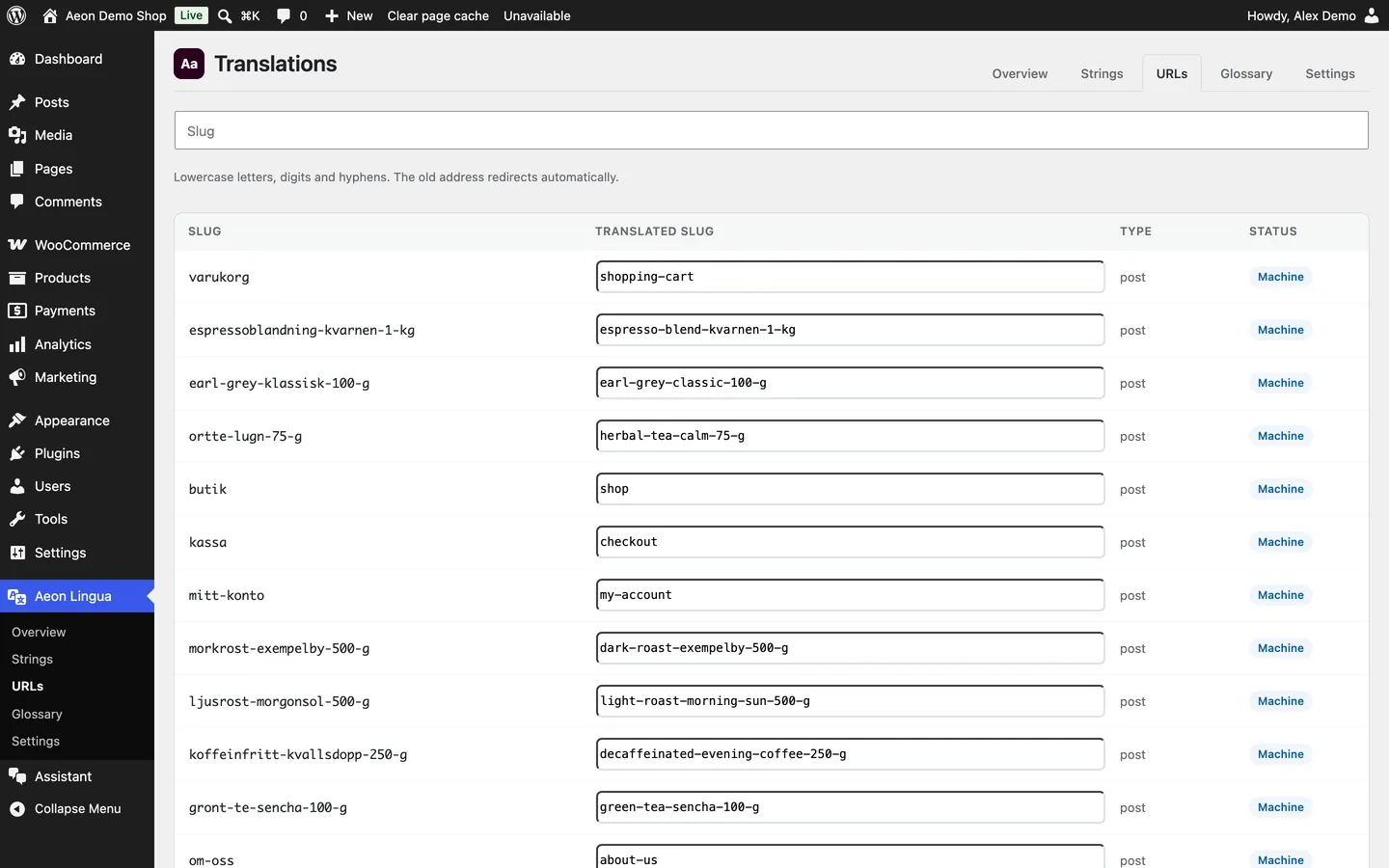
- A translated slug can be at most 60 characters.
- Use lowercase letters, digits and hyphens.
- On a new installation, existing content gets translated addresses automatically.
Redirects
You don’t have to set up redirects by hand:
- When you change a translated slug, the old address redirects to the new one.
- An address that uses original-language words under a language prefix gets a 301 redirect to the translated address.
/en/webbutik/goes to/en/online-store/.
Keep some addresses in the default language
Under Show these URLs in the default language only in Settings, list addresses that should never be translated. Write them as /path, /path/ or /path/*. The last form covers everything below the path.
SEO
Lingua sets hreflang and canonical for every language version. It also has adaptations for Rank Math and Yoast.