
Plugins
Aeon Cache: settings
Every Aeon Cache setting with its default and limits, the status panel and what is never cached.
Last updated 16 November 2026
The settings are under Settings › Aeon Cache.
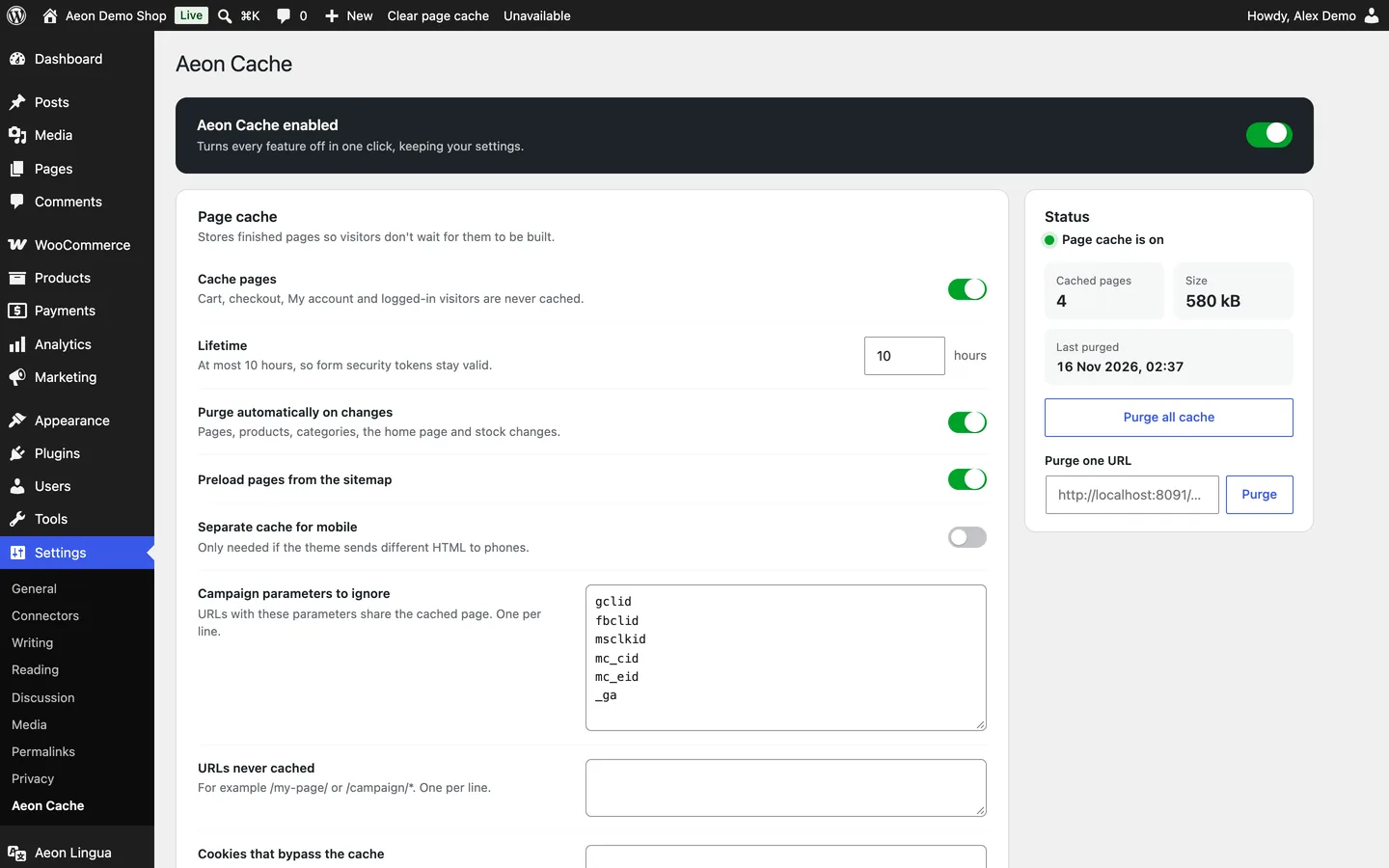
The main switch
Aeon Cache enabled turns every feature off in one click. Your settings are kept, so you can turn it back on later.
Status
The status panel shows Cached pages, Size and Last purged.
- Purge all cache empties the whole page cache.
- Purge one URL empties the cache for a single address.
The admin bar also has Clear page cache, in the language of the logged-in user.
The groups
The settings are grouped as Page cache, JavaScript, CSS and fonts, Images and video, Network, WooCommerce and WordPress. Options that do nothing on your site are hidden.
| Setting | Default | Limits and notes |
|---|---|---|
| Cache pages | On (off on Kinsta) | |
| Lifetime | 10 hours | 1–10 hours |
| Purge automatically on changes | On | Pages, products, categories, the home page and stock changes |
| Preload pages from the sitemap | On | At most 500 addresses |
| Separate cache for mobile | Off | Only needed if the theme sends different HTML to phones |
| Campaign parameters to ignore | gclid, fbclid, msclkid, mc_cid, mc_eid, _ga | One per line |
| Delay JavaScript | Off | A list of scripts, or all external scripts |
| Never delay these | matomo, klarna, stripe, swish, paypal, btcpay | |
| Minify CSS | Off | Careful. Local files up to 1 MB. |
| Lazy-load images, embeds, sliders | On | |
| Show YouTube as an image until clicked | On | High or Standard image quality |
| Prepare links the visitor is likely to click | On | |
| Browser caching for files | On | One year, immutable |
| Skip cart refresh when the cart is empty | Off | Only has an effect when the theme says it has no cart drawer |
| Remove the WordPress emoji script | On | |
| Limit Heartbeat | On | 60 seconds in the editor |
| Clean the database weekly | Off | Keeps 10 revisions (0–100). Removes items older than 30 days (1–365). |
The Page cache group also has URLs never cached, for example /my-page/ or /campaign/*, and Cookies that bypass the cache.
Notes
- Lifetime is at most 10 hours so that WordPress’s form security tokens stay valid on cached pages.
- Show YouTube as an image shows a preview image instead of the player until the visitor clicks. The preview image is fetched from YouTube.
- Delay JavaScript never delays payment and analytics scripts.
- Minify CSS is cautious. If something looks wrong after you turn it on, turn it off again and purge the cache.
- Clean the database weekly removes old revisions, drafts and spam comments. Try
wp aeon-cache db-cleanup --dry-runfirst to see what would be removed.
Never cached
These always bypass the page cache, whatever the settings:
- logged-in visitors;
- cart, checkout and My account, including translated addresses;
- visitors with something in the cart;
- REST, AJAX, search, 404 pages, feeds and previews;
- pages with query parameters, except campaign parameters;
- responses with
Set-Cookieorno-store.
WP-CLI
wp aeon-cache purge
wp aeon-cache purge --url=https://example.com/shop/
wp aeon-cache preload --now
wp aeon-cache db-cleanup --dry-run
wp aeon-cache db-optimize --yes